
How to create a namespace
Step-by-step instructions on how to create a Docker registry namespace in Granite
To create a registry namespace on the Granite cloud platform, you need to have an account and a Project. If you need step-by-step instructions on how to create a project in the Granite cloud platform, you can find them here.
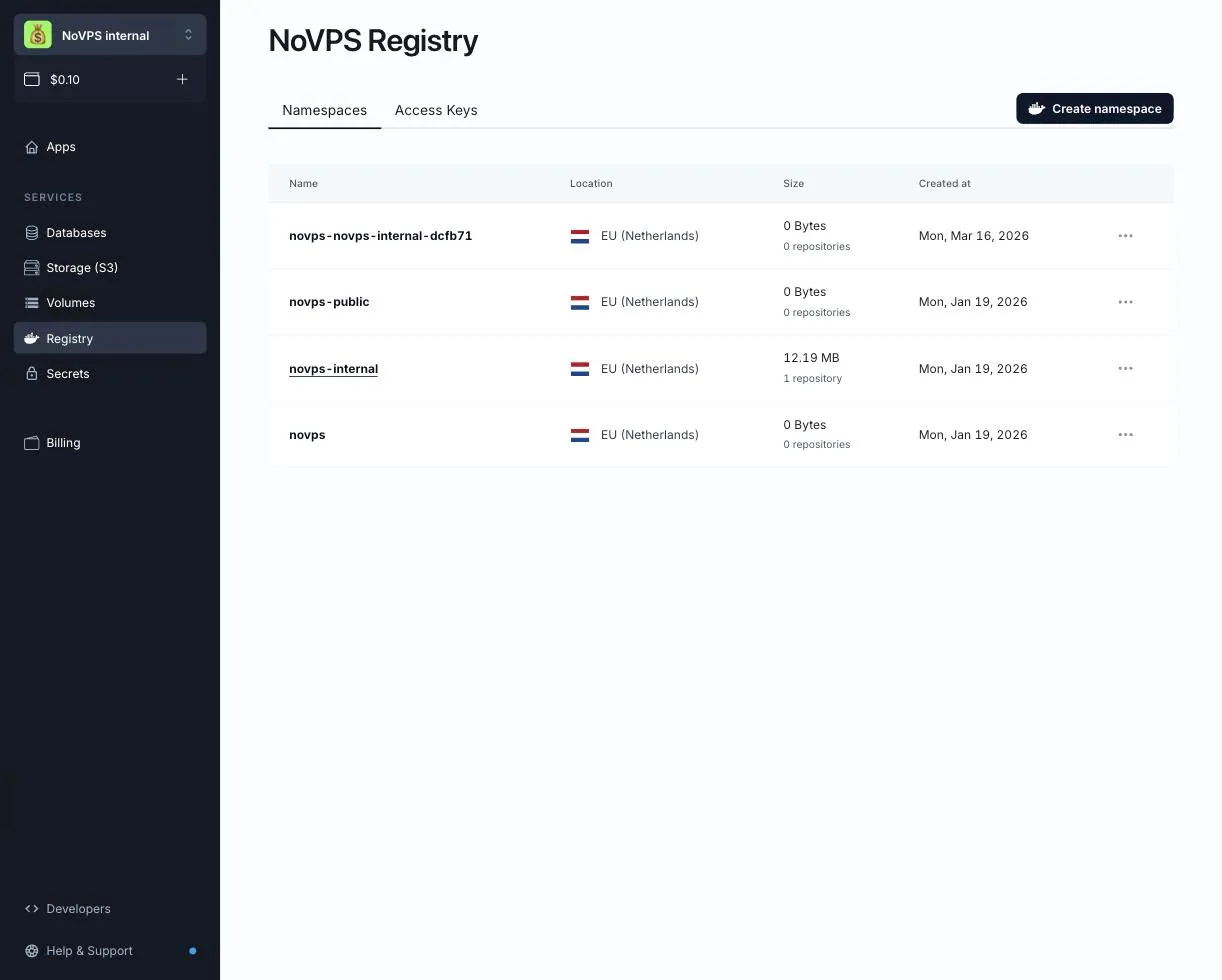
- Select the Registry section in the menu. You will see the list of namespaces in the current project, with the region, the storage used and the number of repositories for each one.
-
Click the Create namespace button.
-
Choose the region. At the moment namespaces can be created in EU (Netherlands); United States and Asia (Singapore) are coming soon.
-
Enter the namespace name. The name must be in lowercase, between 3 and 40 characters long, and may contain latin letters, digits, underscores (
_) and dashes (-). It must start with a letter or a digit.
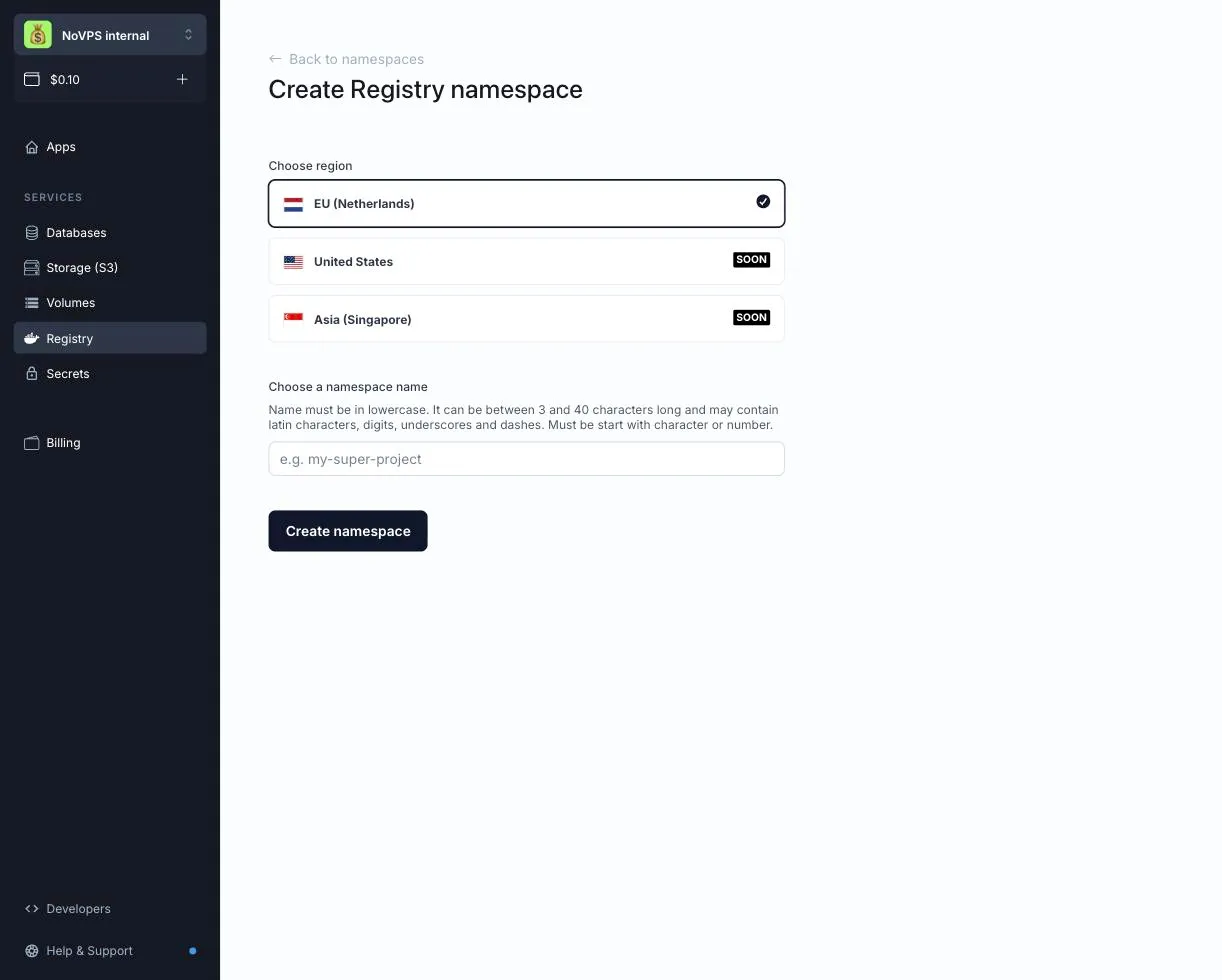
- Click the Create namespace button. The new namespace appears in the list immediately and is ready to accept pushes.
If the Create namespace button is disabled, your role in the project does not allow creating namespaces. Please contact the project owner.
Congratulations! Your namespace has been created. The next step is to create an access key and push an image.