
About S3 Storage
What a bucket is, regions and endpoints, access policies, access keys and billing.
NoVPS Storage is S3-compatible object storage built into Granite. It is the place for user uploads, media, backups and build artifacts: anything that speaks the S3 API can read and write it, and a built-in CDN delivers files from a location close to your users without any configuration on your side.
What is a bucket
A bucket is a top-level container for objects (files). You choose a display name and a region when you create it, and the platform appends a short suffix to the name to guarantee uniqueness. The result is the bucket identifier, for example kaneo-nyiev for the display name kaneo. The identifier is what you use in S3 clients and in the CLI, and it is part of both bucket endpoints:
| Endpoint | Host | Use it for |
|---|---|---|
| Origin URL | <identifier>.s3.<region>.novps.app |
S3 API calls: uploads, downloads, listing, signed URLs |
| CDN URL | <identifier>.cdn.<region>.novps.app |
Serving public files to browsers and apps |
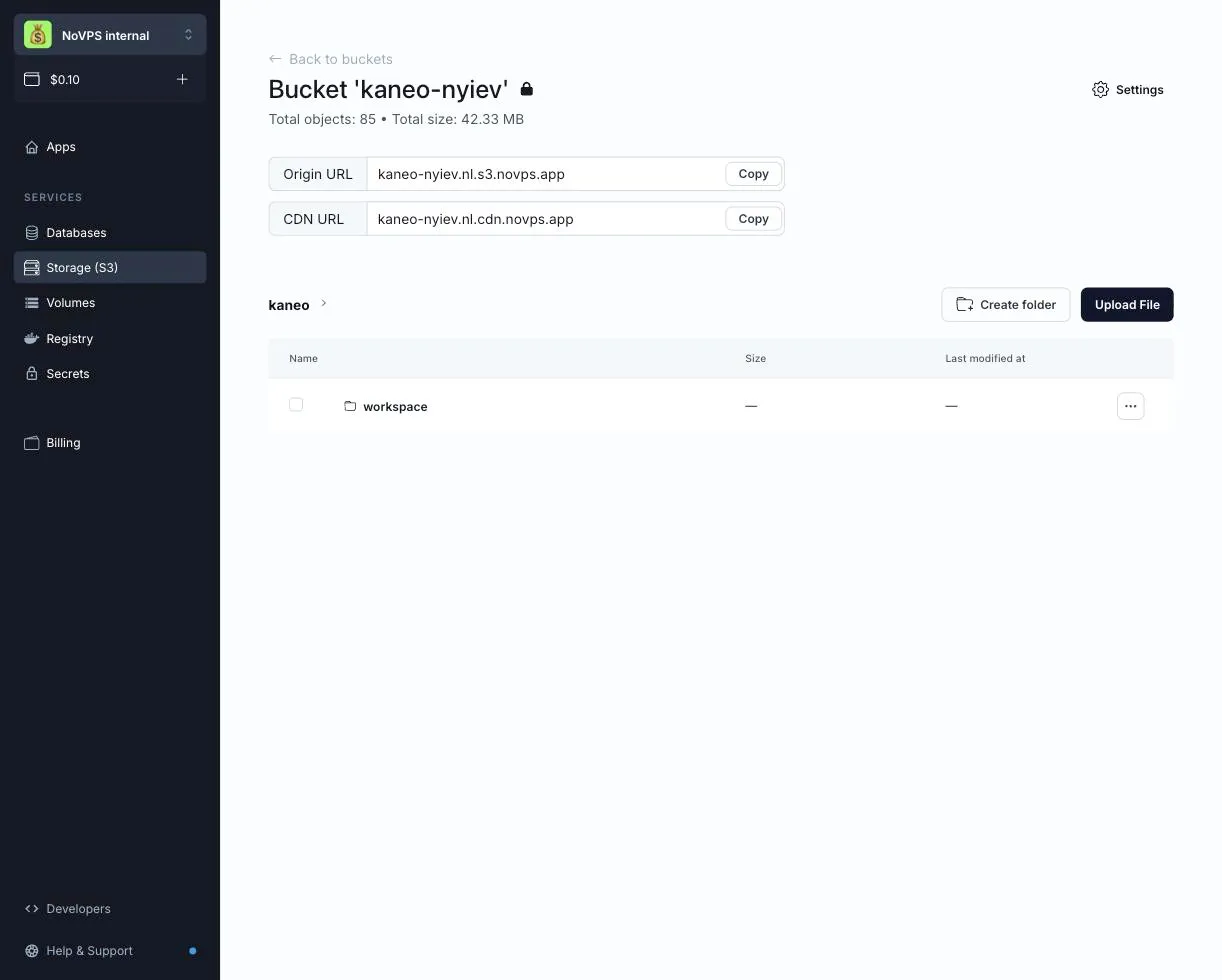
Both hosts are shown on the bucket page.
Regions
A bucket lives in the region you pick when you create it. Choose the one closest to your application and your users; a bucket cannot be moved to another region later.
| Region | Location | S3 endpoint | CDN host |
|---|---|---|---|
| Europe | Frankfurt, Germany | https://s3.europe.novps.app |
<identifier>.cdn.europe.novps.app |
| USA | Dallas, United States | https://s3.usa.novps.app |
<identifier>.cdn.usa.novps.app |
| Asia | Tokyo, Japan | https://s3.asia.novps.app |
<identifier>.cdn.asia.novps.app |
Buckets created earlier in the EU (Netherlands) region (nl.s3.novps.app) keep working as before, but new buckets can no longer be created there. A few rules below differ for those buckets; they are called out where they apply.
A bucket belongs to a project. Any member of the project can see its buckets, and what they can create or delete is defined by their role in the project. The number of buckets is not limited, and the name of an existing bucket cannot be changed.
Access policy
Each bucket has one of two access policies. It is set on the bucket Settings page and can be changed at any time.
| Policy | Anyone on the internet can | Access keys are needed for |
|---|---|---|
| Private | Nothing | Everything |
| Read-only public | Download files through the CDN URL | Everything on the origin URL: listing, uploading, deleting |
Private is the default and the right choice for documents, backups and anything you would not want indexed. Read-only public is the usual choice for images, avatars and static assets served to browsers.
Public files are served only through the CDN
With Read-only public, files are available to anyone at the bucket’s CDN URL, for example https://kaneo-nyiev.cdn.europe.novps.app/images/logo.png. The origin URL stays private and answers only requests signed with an access key. Listing the contents of the bucket through the CDN is not possible, only individual files can be fetched. After you switch a bucket to Read-only public, the CDN is ready within a few minutes.
For buckets in the legacy EU (Netherlands) region, public files are also served by the origin URL.
The Full public policy (anonymous uploads and deletes) is no longer available. Buckets that already use it keep working, but once you switch such a bucket to another policy you cannot switch it back.
Access keys
Access keys are how your applications and tools authenticate against the S3 API. A key has a name, a Key ID and a secret key; the secret is shown only once, when the key is created. A key is granted one of two permission levels:
- Read-only — list, read and download objects.
- Read/write/delete — additionally upload, overwrite and delete objects.
A key can cover several buckets, with these rules:
- All buckets of a key must be in the same region. For buckets in another region, create another key.
- All buckets of a key have the same permission level. If a service needs to write to one bucket and only read another, give it two keys.
- Changing the permissions of a key or regenerating it issues a new Key ID and secret key. The old pair stops working immediately, so update your applications right away.
Keys for buckets in the legacy EU (Netherlands) region can have a different permission level per bucket, and regenerating such a key changes only the secret.
Give every service its own key scoped to the buckets it actually needs, pass it to the application as secrets, and regenerate or remove a key without touching the others. Keys are managed on the Access Keys tab of the Storage (S3) page and in the Access keys section of a bucket’s settings.
File browser
The bucket page in the dashboard is a file browser. You can upload files, create folders, download, rename, move and delete objects, copy the public CDN link of a file in a public bucket, and generate a temporary share link for a file in a private bucket. It is handy for one-off fixes and for checking what your application actually wrote, without installing a client.
Billing
Object storage is available within your project. Storage draws from the same monthly usage credits as the rest of the project; there is no per-bucket fee, and traffic is never billed. Stored data costs $0.035 per GiB per month; see Storage pricing.
Usage beyond the project’s included credits requires extra credits at $1 per credit. Extra credits recur with the subscription until you reduce or remove them. See project pricing and billing examples.
If a project is suspended for an unpaid balance, the files in its buckets in the Europe, USA and Asia regions are unavailable, including through the CDN, until the balance is topped up.