
How to delete files and buckets
How to remove files and folders, revoke an access key and delete a whole bucket
Deleted files and access keys are removed permanently and cannot be restored. A deleted bucket is kept for 14 days before its contents are erased. Make sure no application depends on what you are about to remove.
Delete files and folders
- Open the Storage (S3) section and click the bucket.
- Open the ⋯ menu on the right of a file and choose Delete, or on a folder and choose Remove. Removing a folder removes everything inside it.
- Confirm the deletion.
To delete several items at once, tick them in the list and choose Delete from the selection menu that appears above the table.
Files can also be deleted from an S3 client with a Read/write/delete key, or with the novps storage files delete command of the NoVPS CLI.
Delete an access key
- Open the Access Keys tab of the Storage (S3) section, or the Access keys section in the bucket settings.
- Open the ⋯ menu on the right of the key and choose Remove.
- Confirm the deletion. Any client that was using this key loses access immediately. If you only need new credentials, choose Regenerate key instead.
Delete a bucket
- Open the bucket and click Settings, or choose Delete from the ⋯ menu in the bucket list.
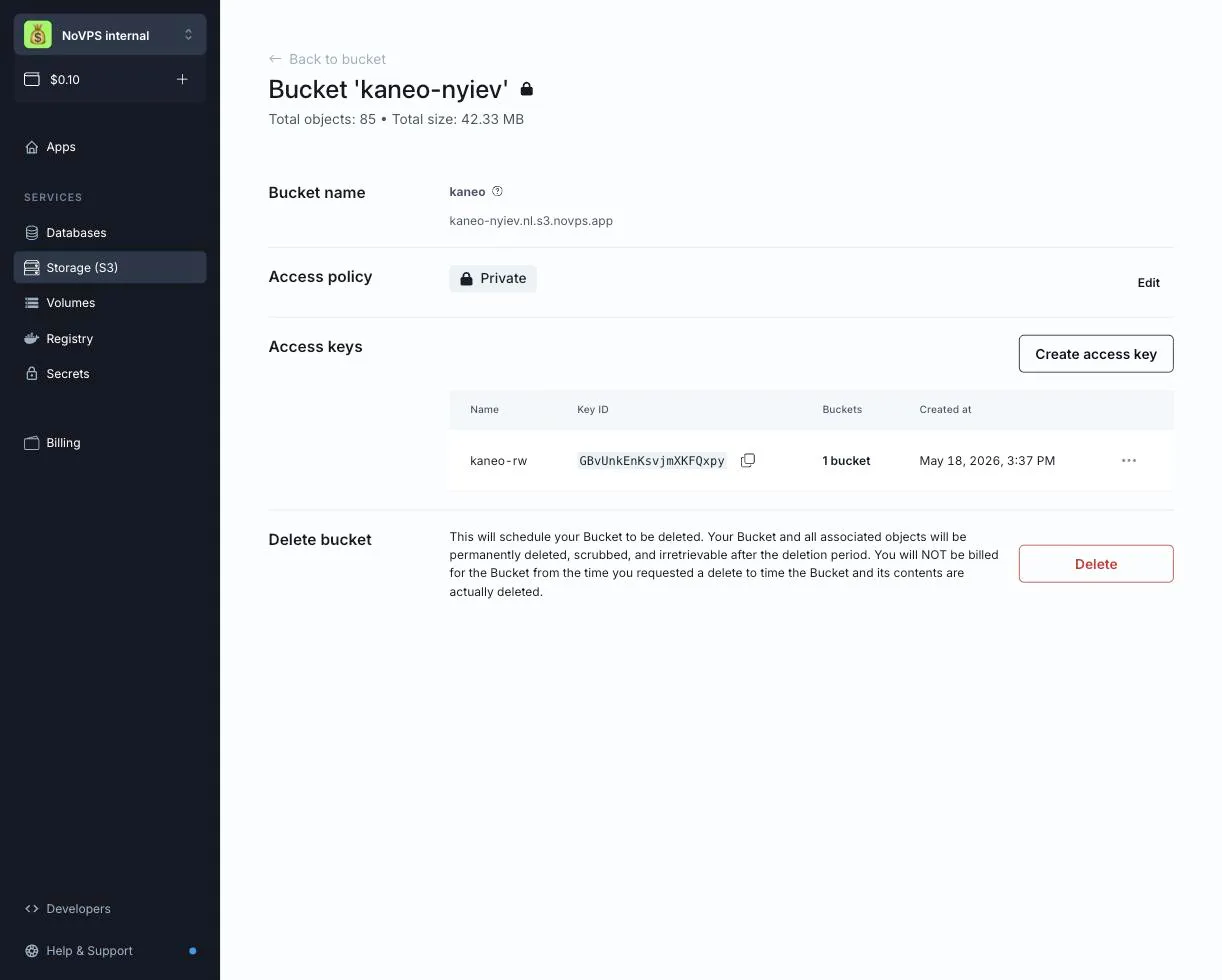
- In the Delete bucket section click Delete.
- Type the bucket name in the confirmation dialog and confirm.
The bucket disappears from your project immediately and its files are no longer served publicly. Its contents are kept for 14 days and then permanently erased, together with the bucket itself. You are not billed for the bucket from the moment you requested the deletion.
If you deleted a bucket by mistake, contact support within these 14 days. After that the data cannot be recovered.
Delete or update the access keys that were created only for this bucket.
If the Delete option is disabled, your role in the project does not allow deleting buckets. Please contact the project owner.