
Custom secrets
Keep API keys and other values that belong to no application in Granite, and read them from the CLI, CI and scripts
Environment variables of an application are passed to its resources when they start. But some values are not needed by any application running on Granite: the token your CI pipeline deploys with, the keys a nightly script on another server uses, the .env file every developer of the team needs on their laptop. Custom secrets keep such values in Granite, next to the rest of your configuration.
A custom secret is a named set of variables that belongs to the project, not to an application. You read it with the Granite CLI or the public API, wherever you need it.
Custom secrets work like application variables:
- values are stored encrypted, every custom secret has its own encryption key;
- every change creates a new version, previous versions stay in the history and can be restored the same way as application variables;
- access follows the roles of the project: Modifier and above can read custom secrets, Maintainer and Owner can create, change and delete them.
Custom secrets are not passed to your applications automatically. To give a value to an application, add it to the application’s environment variables.
When to use them
- CI/CD. Keep the keys your pipeline needs — registry credentials, a deploy token, keys of third-party services used in tests — in one place and fetch them at the start of a job instead of copying them into the settings of every repository.
- Local development. Instead of sending a
.envfile in a chat, every member of the team gets the current values with one command. When a key is rotated, everyone gets the new value the next time they run it. - Scripts and servers outside Granite. A cron job on another server, a data migration or a one-off script can read the keys it needs at run time, so they never end up in the code or in a repository.
- One source of truth. A key used in several places — for example, the Stripe keys of production — is kept once. You change it in one place, and the version history shows who changed it and when.
How to create a custom secret
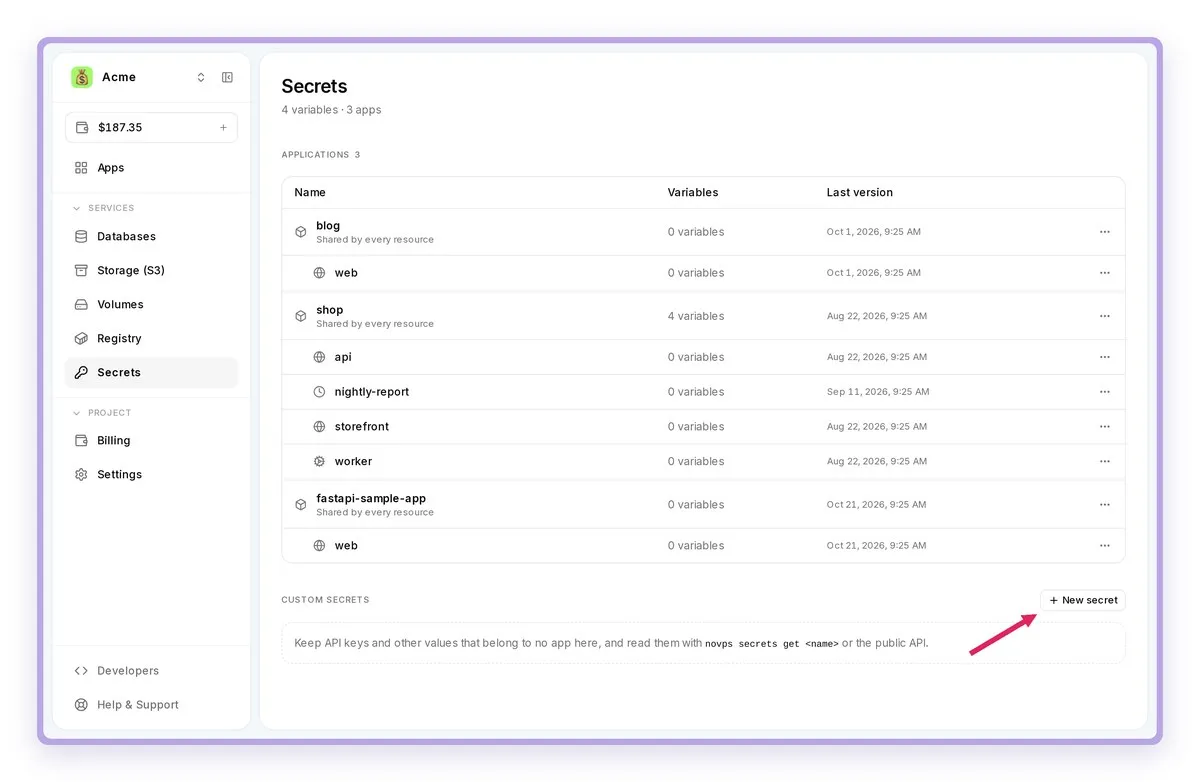
- Open Secrets in the left menu. Custom secrets are listed under the applications. Click New secret.
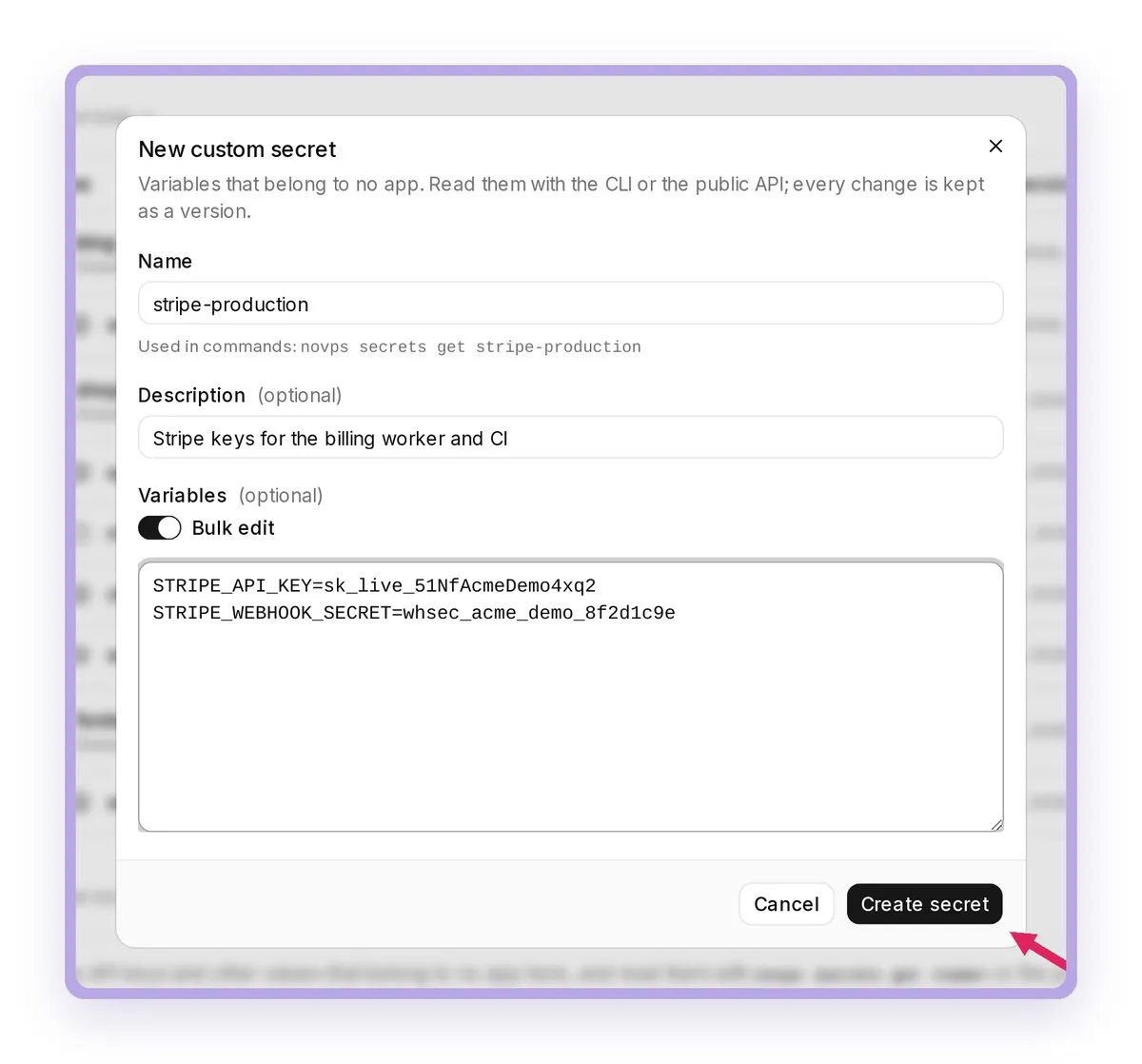
- Fill in the form:
- Name — how the CLI and the API find the secret, for example
stripe-production. The name must be 6 to 60 characters long, start with a letter and contain only latin letters, digits and dashes. It must be unique in the project. - Description — optional, a reminder of what the values are for.
- Variables — the keys and values. You can switch on Bulk edit and paste the variables in the
.envformat. Variables can also be added later.
Click Create secret.
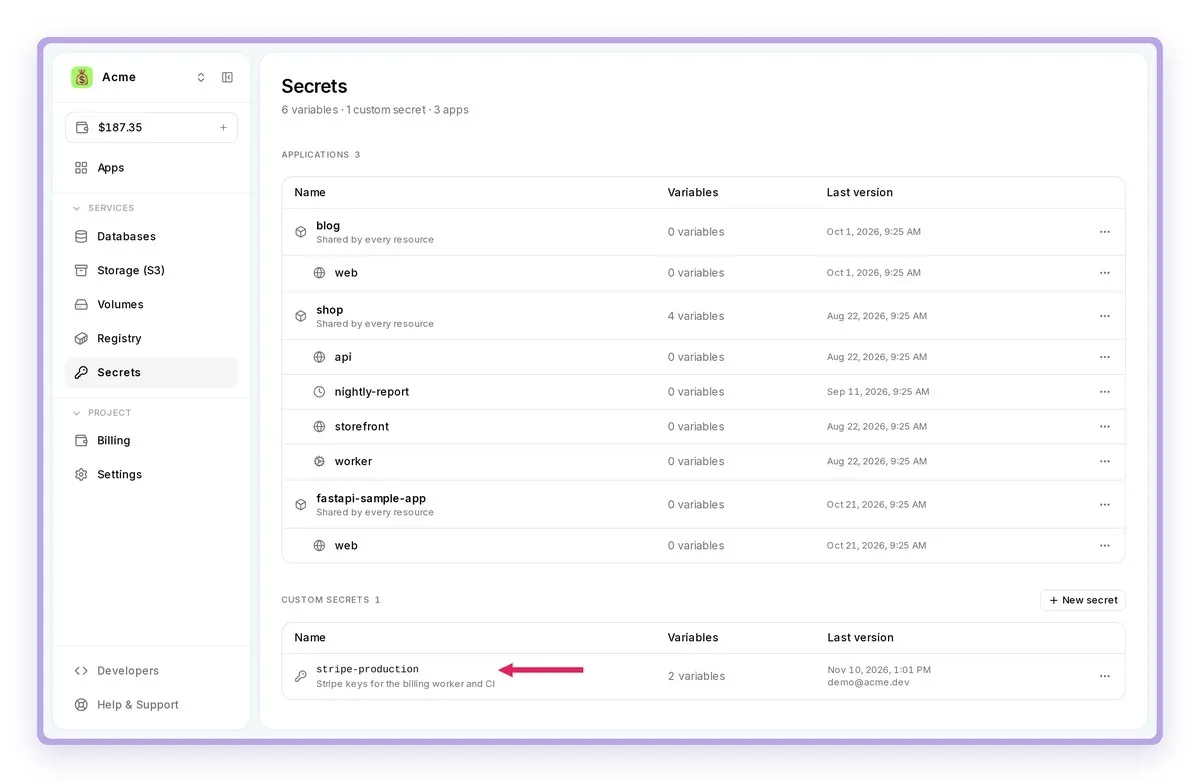
- The new secret appears in the Custom secrets list. Click it to open it.
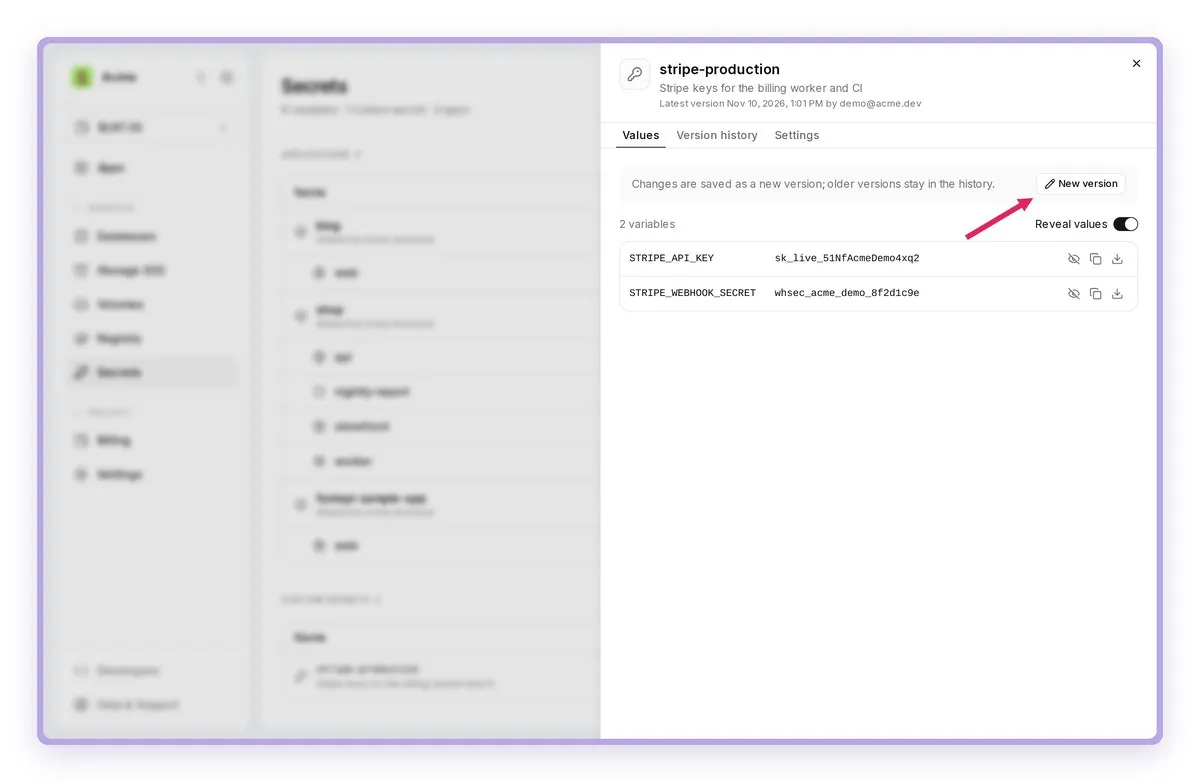
- The Values tab shows the variables of the current version. Use the Reveal values switch to see them, and New version to change them. The Version history tab lists all versions of the secret.
- The Settings tab shows ready-to-copy commands for this secret. Here you can also rename the secret, change its description or delete it.
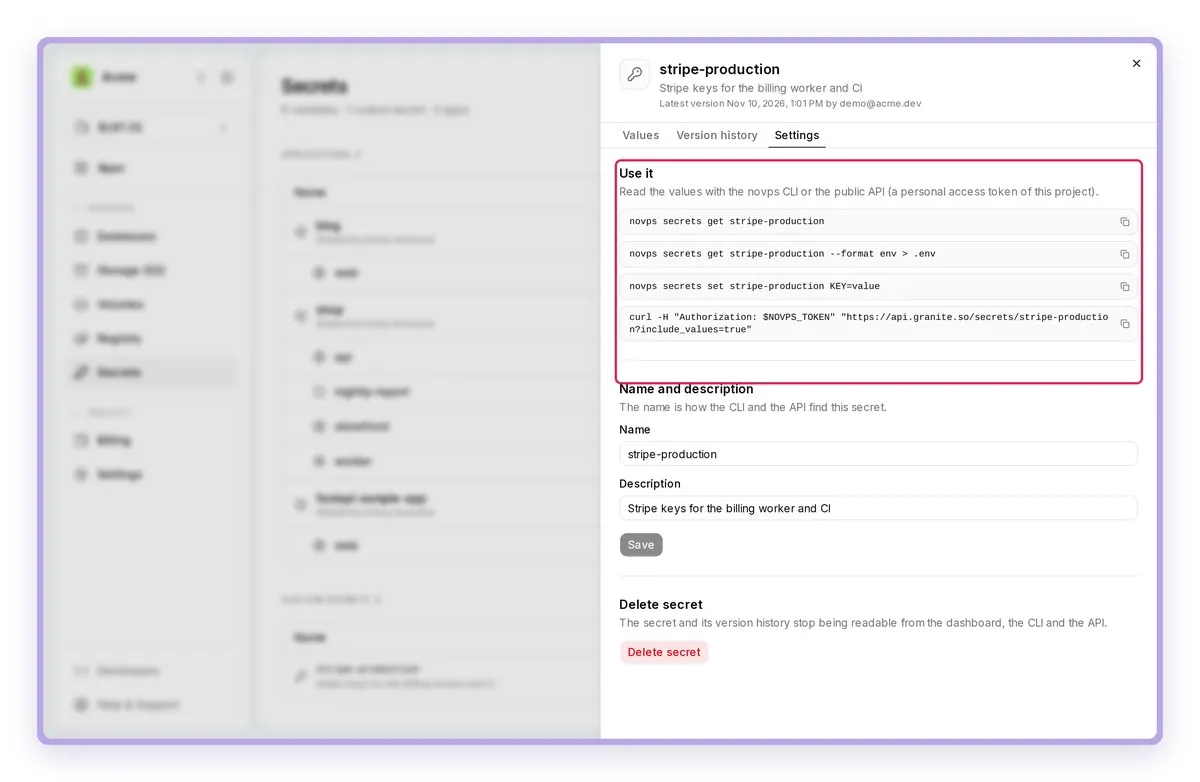
Renaming a secret changes the name the CLI and the API use. Update your scripts and pipelines after a rename.
How to use a custom secret with the CLI
The CLI reads custom secrets with the same novps secrets commands as application variables: pass the name of the secret instead of an application ID. Sign in first with a personal access token of the project.
# All custom secrets of the project (names and keys, no values)novps secrets list
# All values of a secret as a tablenovps secrets get stripe-production
# Write them to a .env filenovps secrets get stripe-production --format env > .env
# Export them into the current shelleval "$(novps secrets get stripe-production --format export)"
# Just one value, for scriptsnovps secrets get stripe-production STRIPE_API_KEY --format value
--format json prints the values as JSON.
Changing a secret from the CLI creates a new version, just like saving it in the dashboard:
# Set one or more variables; the other variables are kept.# A secret that does not exist yet is created.novps secrets set stripe-production STRIPE_API_KEY=sk_live_... --description "Stripe keys of production"
# Remove variablesnovps secrets unset stripe-production STRIPE_WEBHOOK_SECRET
# Delete the whole secret (asks for confirmation; --force skips it)novps secrets delete stripe-production
Example: GitHub Actions
Create a personal access token for the pipeline, save it in the repository secrets as GRANITE_TOKEN, and fetch the values at the start of the job:
steps:  - name: Install the Granite CLI    run: curl https://cli.granite.so | sh
  - name: Load secrets    env:      GRANITE_TOKEN: ${{ secrets.GRANITE_TOKEN }}    run: |      novps auth login --token "$GRANITE_TOKEN"      novps secrets get stripe-production --format env >> "$GITHUB_ENV"
Every later step of the job gets the variables of the secret as environment variables. Only one token has to be stored in GitHub; the keys themselves stay in Granite.
How to use a custom secret with the API
The same data is available over the public API with a personal access token in the Authorization header:
curl -H "Authorization: $NOVPS_TOKEN" \ "https://api.granite.so/secrets/stripe-production?include_values=true"The answer contains the name and the description of the secret and its variables. Without include_values=true only the keys are returned.
| Request | What it does |
|---|---|
GET /secrets |
List the custom secrets of the project |
GET /secrets/<name>?include_values=true |
All variables of a secret |
GET /secrets/<name>/<KEY> |
One variable |
POST /secrets |
Create a secret |
PATCH /secrets/<name> |
Rename it, change the description, set or remove variables |
DELETE /secrets/<name> |
Delete the secret |
Give every pipeline and every server its own personal access token. If one of them leaks, you revoke it without touching the others.